 PC Cleaner Pro
C Drive Full?
Free Up Gigabytes of Space in Minutes
Scan your PC for junk files, large files, and hidden clutter — safely and instantly.
 Full Disk Scan in 10 Seconds
- Free Up 30%+ C Drive Space on Average
- 100% Accidental Deletion Protection
 Free download


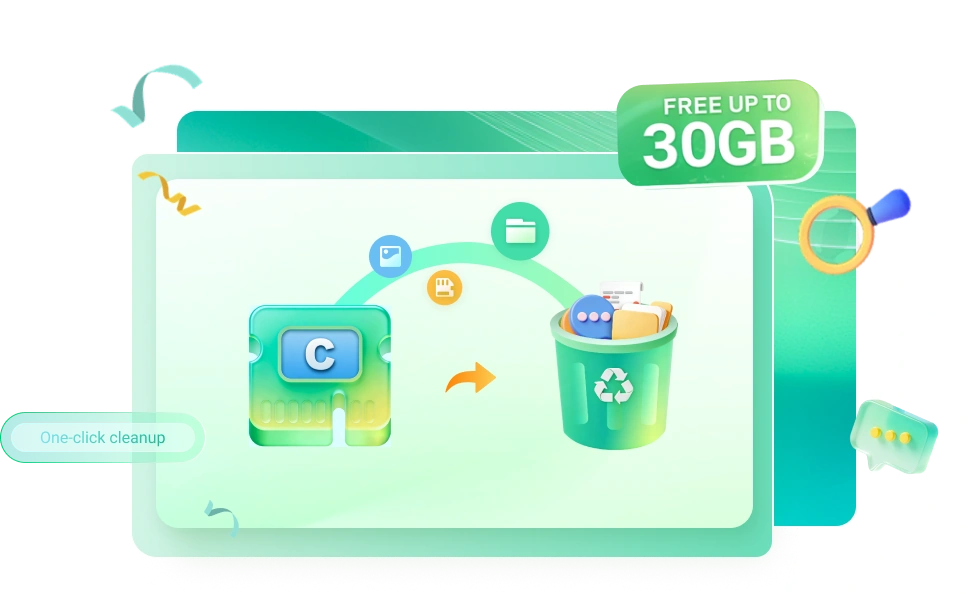
Smart Partition Manager, More Disk Space
Optimize disk layout and use unallocated space wisely to keep your system running faster.
Intelligent Junk Cleaning
Automatically identifies 8 types of junk files including system cache, browser junk, and download residues, no manual filtering required
In-depth Large File Analysis
Quickly locates large files (100MB+) such as videos, installation packages, and backup files, with visual display of occupancy ratio

Accurate Duplicate File Detection
· Identifies duplicate documents, pictures, and audios based on file content hash comparison to avoid accidental deletionresidues, no manual filtering required

System Drive Expansion Assistant
· Merge free partitions to C drive without reinstalling the system, fundamentally solving the 'C drive full' problem

Startup Item Optimization
· Disable useless startup programs, reduce C drive resource usage, and improve boot speed

Safe Recovery Guarantee
· Cleaned files are automatically backed up to the 'Recovery Zone' and can be restored with one click within 7 days

C Drive Cleanup & Space Optimization
Stop struggling with a full C drive. Clean system junk and optimize disk space to keep Windows running fast and stable.
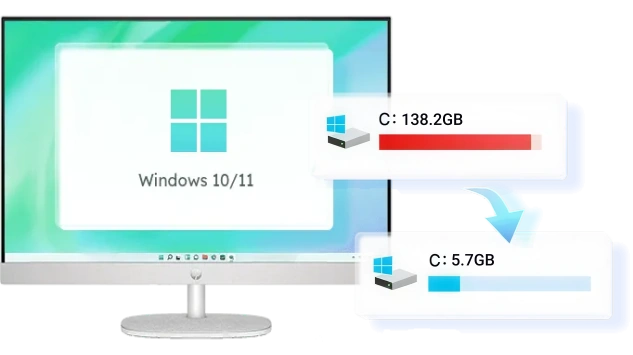
Deep Clean & Extend C Drive Space
Is your C drive running out of space? Remove unnecessary system files and reallocate unused disk space to the C drive—no system reinstall required.
Optimize Disk Space Allocation
Adjust and reorganize disk partitions to reduce wasted space and give the C drive more room to operate smoothly.

Clean System Files Safely
Scan and clean temporary files, system cache, and leftover data to quickly free up valuable C drive space.

More Ways to Optimize Your Disk
More Features
PC Cleaner Pro is more than a disk partition tool. It helps you manage disk partitions and also improves disk performance by cleaning junk files on hard drives, USB devices, and external drives. Suitable for all Windows users.


System Optimization
System Optimization
Optimize system performance by cleaning unnecessary files, reducing disk pressure on the C drive, and improving disk space allocation. A well-optimized system helps Windows run faster, respond quicker, and remain stable during updates and daily use.

Move Large Files Safely
Move Large Files Safely
Safely move large files to other drives or partitions to free up C drive space without breaking file paths or affecting system stability.

Disk Space Optimization
Disk Space Optimization
Analyze disk usage and reorganize space to reduce waste, ensuring your storage is used efficiently and effectively.

Duplicate File Removal
Duplicate File Removal
Scan and identify duplicate files across disks or folders, allowing you to remove unnecessary copies and recover valuable disk space.

PC Performance Boost
PC Performance Boost
Free up disk space and reduce system load to improve startup speed, application performance, and overall responsiveness.
Folder Migration
Folder Migration
Move folders to another drive or partition while keeping their original structure and access paths intact.

Convert to Primary Partition
Convert to Primary Partition
Convert logical partitions to primary partitions to support system boot requirements or disk structure adjustments. This feature helps ensure compatibility when preparing a system disk or reorganizing partitions without data loss.

Desktop Icon Cleanup
Desktop Icon Cleanup
Organize and clean unnecessary desktop icons to reduce clutter and keep your desktop clean and easy to manage.

Set Partition as Active
Set Partition as Active
Mark a partition as active to ensure the system can boot properly from the selected disk.
Comprehensive Storage Management & Performance Optimization
Addressing common pain points like C-drive overflow, system lag, and file clutter, we provide a one-stop solution from deep cleaning to performance boosting. Revitalize your device and enjoy an ultra-smooth experience for both work and play.

C Drive Out of Space
- C-Drive Cleanup + Space Optimization + Directory Migration
- Rapidly free up space and restore normal system operation.

Cluttered Files & Deletion Anxiety
- Duplicate File Removal + Secure Large File Migration.
- Accurately identify redundant files and safely reclaim disk space.

System Lag & Slow Boot-up
- PC Acceleration + System Optimization
- Reduce background load and significantly boost response speed.
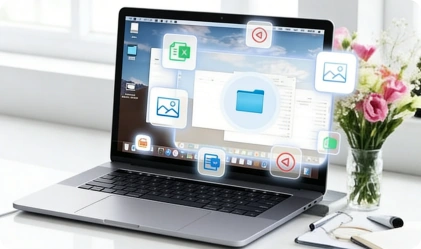
Messy Desktop & Unorganized System
- Icon Cleanup + System Environment Optimization
- Achieve a tidier desktop and a more refreshing system environment.

Large Files Concentrated in System Drive
- Secure Large File Migration + Directory Relocation
- Optimize file distribution and significantly reduce system drive pressure.

Improper Disk Partitioning
- Space Optimization + Directory Migration
- Replan space allocation to maximize disk utilization efficiency.
What Our Customers Are Saying
Countries
Satisfied Users
Subscribers
Downloads

As a photographer, my C drive is always fighting for space with Adobe cache files. This tool is a lifesaver! It cleared 40GB of junk I didn't even know existed. My PC feels brand new.
 Mark Thompson
Startup time went from 2 mins to 20 seconds. Incredible!
 Elena R
Cleaned system junk and got a noticeable FPS boost. Love it!
 Kevin C
I was terrified of deleting something important, but the 'Smart Migration' feature made it so easy. It moved my huge project folders to the D drive safely. No more annoying low-disk warnings!
 Sarah Jenkins
Impressive logic behind the duplicate file finder. It didn't just look at names but actually compared file content. Finally reclaimed my storage from years of messy backups.
 David Miller
Super intuitive! Even I could clean my PC like a pro.
 Linda B
Directory migration saved my system from constant crashes.
 James W
A must-have utility for Windows users. Unlike other bloated cleaners, this one targets the root cause of disk pressure. The partition reallocation logic is brilliant.
 Thomas Müller
Identified thousands of redundant files in seconds. A time-saver!
 Maria G
My laptop was constantly lagging before exams. One deep clean with this app and I freed up 15GB of system temp files. It literally saved my semester
 Rachel Adams
As a photographer, my C drive is always fighting for space with Adobe cache files. This tool is a lifesaver! It cleared 40GB of junk I didn't even know existed. My PC feels brand new.
Mark ThompsonStartup time went from 2 mins to 20 seconds. Incredible!
Elena RCleaned system junk and got a noticeable FPS boost. Love it!
Kevin CI was terrified of deleting something important, but the 'Smart Migration' feature made it so easy. It moved my huge project folders to the D drive safely. No more annoying low-disk warnings!
Sarah JenkinsImpressive logic behind the duplicate file finder. It didn't just look at names but actually compared file content. Finally reclaimed my storage from years of messy backups.
David MillerSuper intuitive! Even I could clean my PC like a pro.
Linda BDirectory migration saved my system from constant crashes.
James WA must-have utility for Windows users. Unlike other bloated cleaners, this one targets the root cause of disk pressure. The partition reallocation logic is brilliant.
Thomas MüllerIdentified thousands of redundant files in seconds. A time-saver!
Maria GMy laptop was constantly lagging before exams. One deep clean with this app and I freed up 15GB of system temp files. It literally saved my semester
Rachel Adams
Safe, Lightweight & Powerful System Optimizer
We offer a streamlined system optimization solution that targets C-drive overflow directly, allowing your device to reach maximum performance in a clutter-free environment.
 FionnShare
Copyright © 2025 Wonderful Apps Limited.
 English